

By Devonte Longmire
What Is ChatGPT?
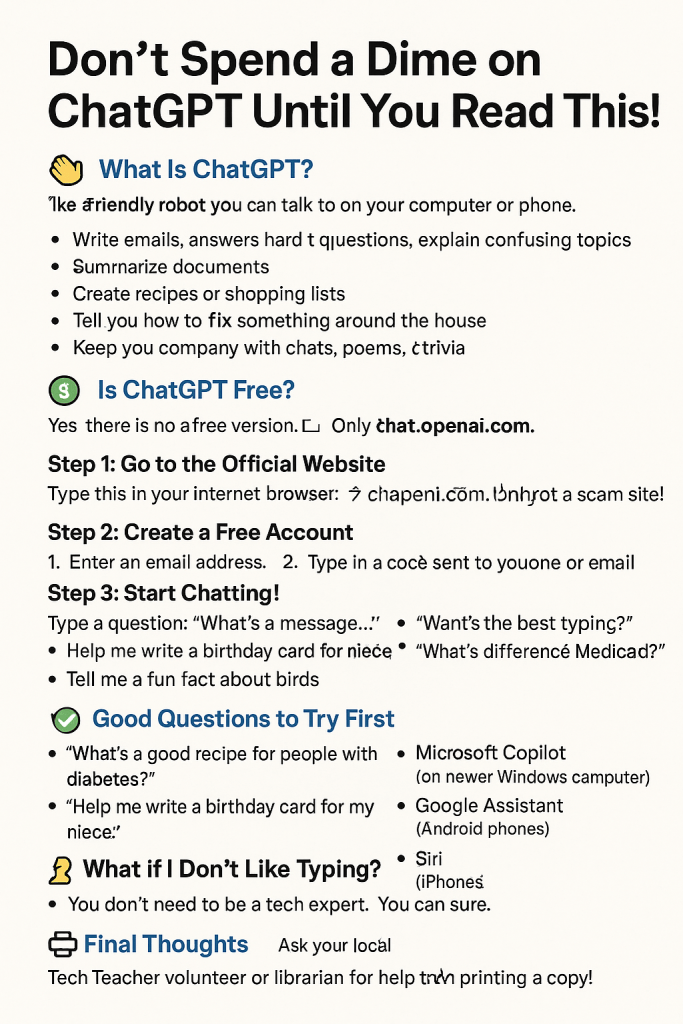
ChatGPT is like a friendly robot you can talk to on your computer or phone. It helps you write things, answer questions, explain confusing topics, and even tell stories or jokes.
Think of it like Google—but instead of giving you websites, it gives you a clear, human-like answer right away.
What Can ChatGPT Help You With?
. Here are some real examples:
Write emails ✉️
With any tone of your choosing—professional, friendly, casual, or even poetic.
Answer hard questions
Like “What is Medicare Part D?” and explain it at any level of knowledge—simple or detailed.
Summarize documents 📄
You can paste long text, screenshots, or even legal letters and ask for a summary.
Create recipes or shopping lists 🛒
Ask for a meal plan for two people, half-size versions of a recipe, or meals that are diabetic or heart-healthy.
Translate words 🌎
From one language to another—in both formal and casual ways. Great for travel or talking to friends from other countries.
Tell you how to fix something 🛠️
Like a leaky faucet or a TV remote that won’t work. It gives step-by-step help and lists tools you may need.
Keep you company 💬
With jokes, poems, trivia, friendly chats, or daily affirmations. It doesn’t get tired or annoyed!
Brainstorm ideas
From birthday gift suggestions to names for a pet parrot.
Teach you new things 📘
Like how to use a smartphone, set up a Facebook account, or understand the latest news.
What ChatGPT Can’t Do
While ChatGPT is helpful, there are some things it can’t and shouldn’t do:
❌ Start the conversation.
You must prompt it to get an answer.
❌ Cost you to download or use.
There is a free to use version with limitations and currently as of 2025, when this article is written is a $20 a month subscription that should suffice for nearly anything you need of you’re beginning your technological journey.
❌ Handle emergencies
It cannot call 911, contact a doctor, or replace real emergency services.
❌ Give official legal, financial, or medical advice
It can explain topics in plain language but is not a licensed professional.
❌ Access your private accounts
It cannot look into your bank, Facebook, email, or health records.
❌ Know real-time updates
Unless you’re using the paid version with browsing, it does not know today’s news or weather.
❌ Always be right
Sometimes it makes mistakes or guesses. If something seems off, double-check it or ask someone you trust.
Is ChatGPT Free?
✅ Yes! There is a free version.
You don’t need to pay unless you want extra features (you probably won’t need them to start). The free version is called ChatGPT Free and it works just fine for most people.
The official OpenAI website is Here. Chatgpt is Here.
Safety Tips for Using ChatGPT
🚫 Don’t share personal info.
Never type your Social Security number, bank info, or passwords.
📷 Don’t click on strange links.
ChatGPT doesn’t send you random links or ask for downloads.
Always ask someone you trust if you’re unsure! Feel free to reach out!
How Do I Use It?
Here’s how to get started safely and easily.
Step 1: Go to the Official Website
Or Type this in your internet browser:
👉 chat.openai.com
> 💡 Make sure it’s not a scam site! Only trust websites that start with chat.openai.com.
Step 2: Create a Free Account
You’ll be asked to:
1. Enter your email address
2. Create a password
3. Type in a code sent to your phone or email
This helps keep your account secure.
Step 3: Start Chatting!
Once you log in, you’ll see a box that says:
“Send a message…”
Type in a question like:
“What’s the best way to organize my medicine?”
“Can you help me write a letter to my grandchild?”
“What is Facebook and how do I use it?”
Then press Enter on your keyboard.
The robot will write back in plain language!
Good Questions to Try First
We highly recommend that you try some prompts out to get a lay of the land and a feel for how chat GPT works.
Here are a few ideas to test out:
“What’s a good recipe for people with diabetes?”
“Help me write a birthday card for my niece.”
“What’s the difference between Medicare and Medicaid?”
“What are my local laws related to littering?”
“Tell me a fun fact about birds.”
What If I Don’t Like Typing?
Try voice tools like:
Microsoft Copilot (on newer Windows computers)
Google Assistant (on Android phones)
Siri (on iPhones)
These also use similar AI to ChatGPT.
Final Thoughts
You don’t need to be a tech expert.
You don’t need to spend money.
You just need to try it once.
And remember, you’re in control. You can leave anytime. ChatGPT is here to help—no judgment, no pressure.
Also a key point is you should not have to go through anyone else to use this.
Printout


Leave a Reply